Data
Use KV and tables for sessions, submissions, content, game state and other route-backed data.
Read the docsBrickr is a visual API builder for backend routes. Use built-in nodes, write custom JavaScript or TypeScript nodes with the Brickr CLI, test everything in the web editor and deploy REST APIs without setting up a full backend project.
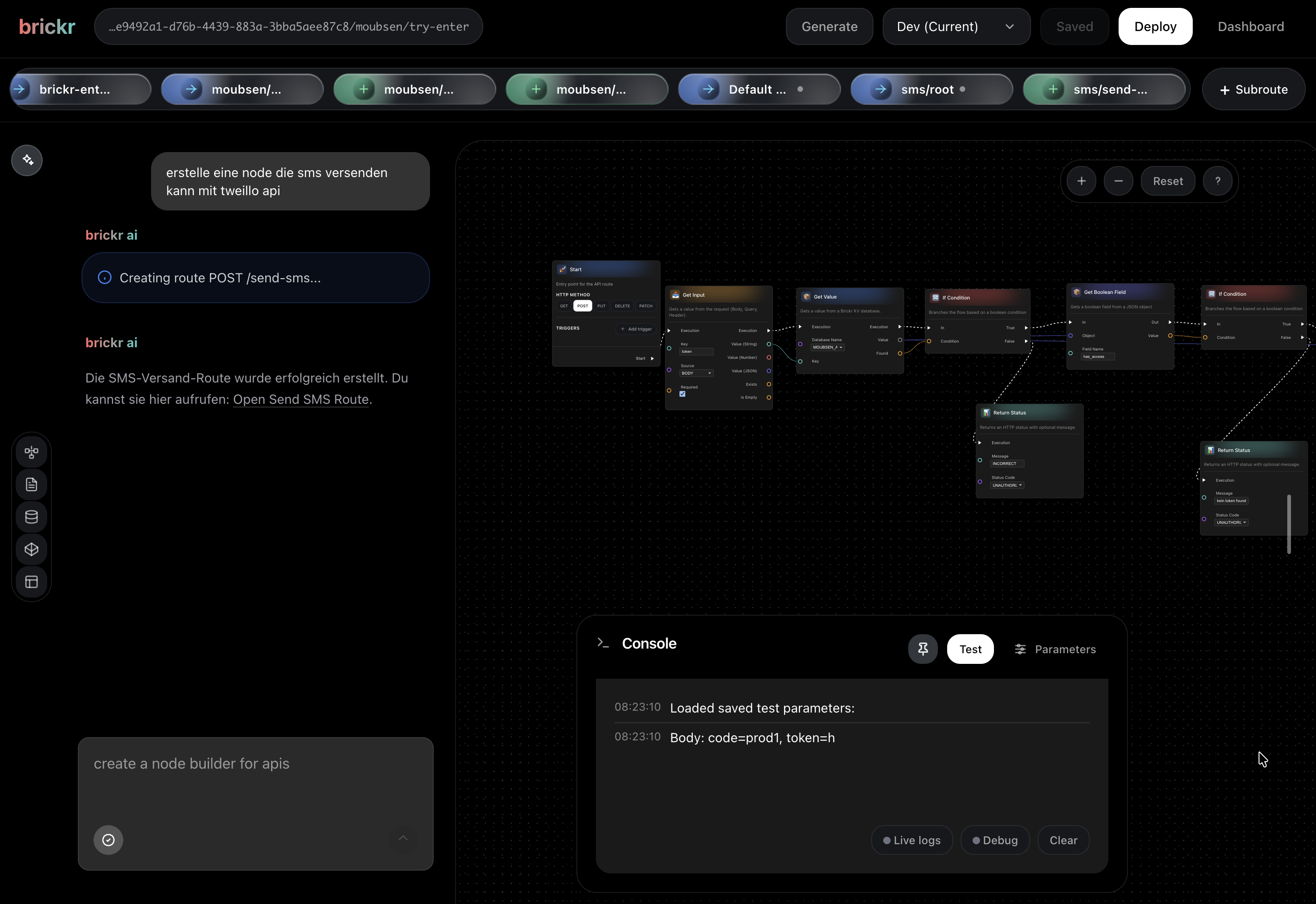
Brickr nodes work closer to Blueprint-style visual scripting than workflow automation. A node should do one clear thing: get a value, compare it, transform it, set a field or return a result.
That keeps routes readable. Instead of hiding logic inside one giant "do everything" block, Brickr lets values move through typed pins step by step.
Read the node docsSend a request from the editor and watch the route run step by step. See what each node received, what it returned and where the flow stopped.
Turn your flow into a live endpoint with one click. Brickr keeps every deployment as a version, so you can go back, edit an older version and redeploy with confidence.
Use built-in data, forms, storage, types, AI and integrations directly inside your route logic. Connect them as nodes, test the full path, and deploy everything as one live API endpoint.
Use KV and tables for sessions, submissions, content, game state and other route-backed data.
Read the docsCreate frontend-facing inputs and UI objects that connect directly to Brickr routes.
Read the docsHandle uploads, files and generated assets inside the same flows you test, deploy and version.
Read the docsDefine structures, enums and reusable variables once, then use them across routes and custom nodes.
Read the docsCall AI providers inside a flow with explicit inputs and outputs, then keep processing the result as typed route data.
Read the docsUse built-in nodes for Shopify, Slack and other services, or connect any external API.
Read the docsDefine a reusable JavaScript or TypeScript node with the Brickr SDK, publish it through the CLI and use it beside every built-in node. Inputs, outputs and secrets stay explicit, so the code remains testable in the visual builder.
Connect your personal Brickr Agent to Codex, ChatGPT, Claude or another MCP client. Grant access to the workspace you choose, ask the Agent to create the backend, then open the result in Brickr and continue visually.
Set up Brickr MCP


